
A MVP Management portal to support a full functioned online ordering store
10/2022 – 02/2023
Role:
Defined interaction design and the guideline of deliverables
Team:
Shilya Lee (Product Design Lead)
Morris Wong (Visual Designer)
Wen-Yuan Wong (Tech Lead)
Victor Chen (Customer Support)
Background
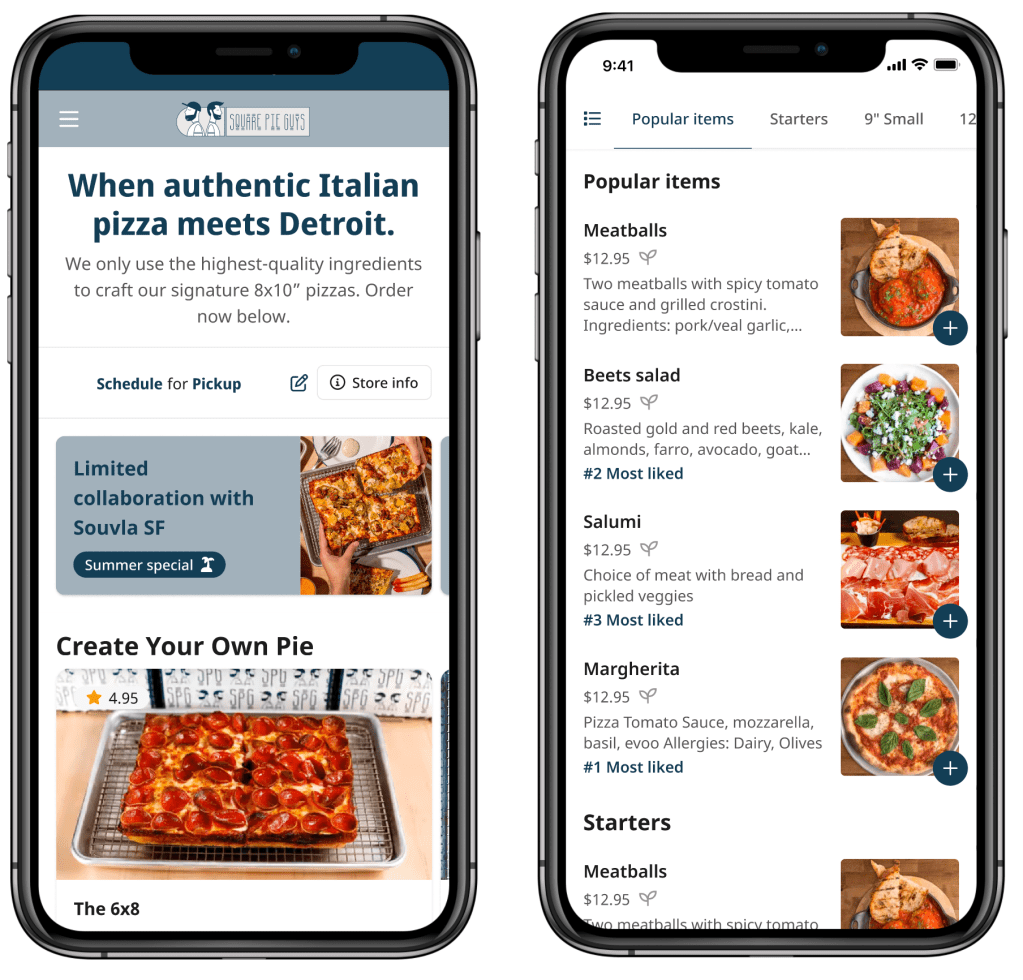
Re:tech provides specialized ordering webpages for restaurants to accept online orders, helping them reduce costs from third-party platforms like Doordash or Ubereats. With these webpages, restaurants can establish their own online presence, manage orders directly, and engage customers better. They can also sell gift cards and implement customer reward systems for increased sales and long-term relationships.
In addition to the online ordering webpage, we understand the importance of giving restaurants the tools to independently manage and customize their pages. We recognize that each restaurant has unique requirements and preferences, so we provide user-friendly controls for efficient management and personalization.
Context
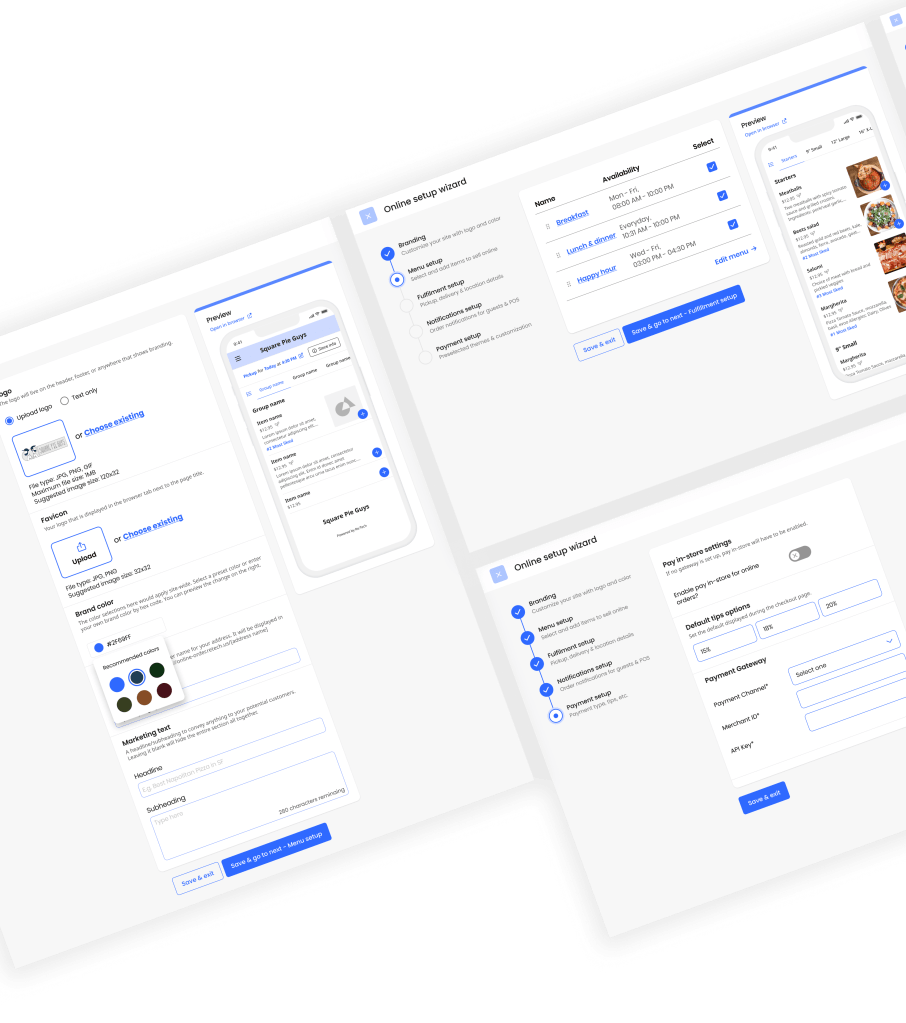
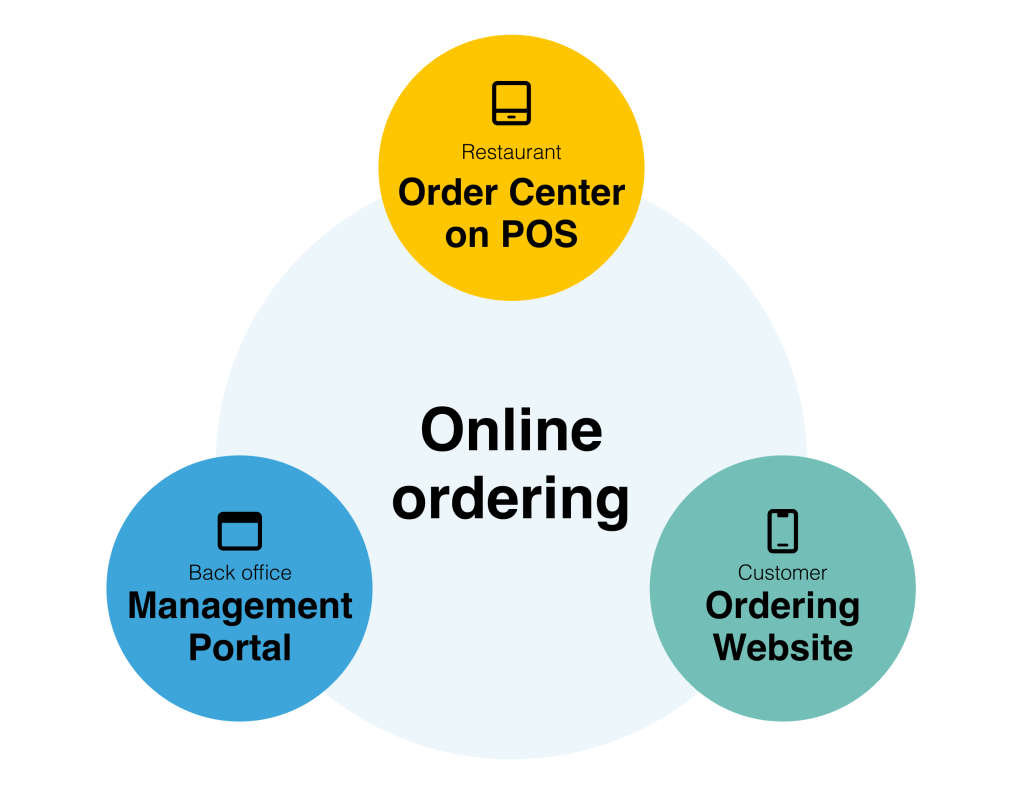
The Project Management Portal serves as one of the three key components of our online ordering product. Initially, we developed the ordering website for restaurant customers and the order center for restaurants before implementing the management portal. Prior to the portal’s interface being ready, engineers manually configured all the necessary requirements for setting up the ordering website and order center within the Point of Sale (POS) system.
The Restaurant Management Portal is a dedicated interface within the restaurant online ordering software that provides restaurant owners and managers with comprehensive tools and functionalities to efficiently manage their online ordering operations.
Content
- Configurations
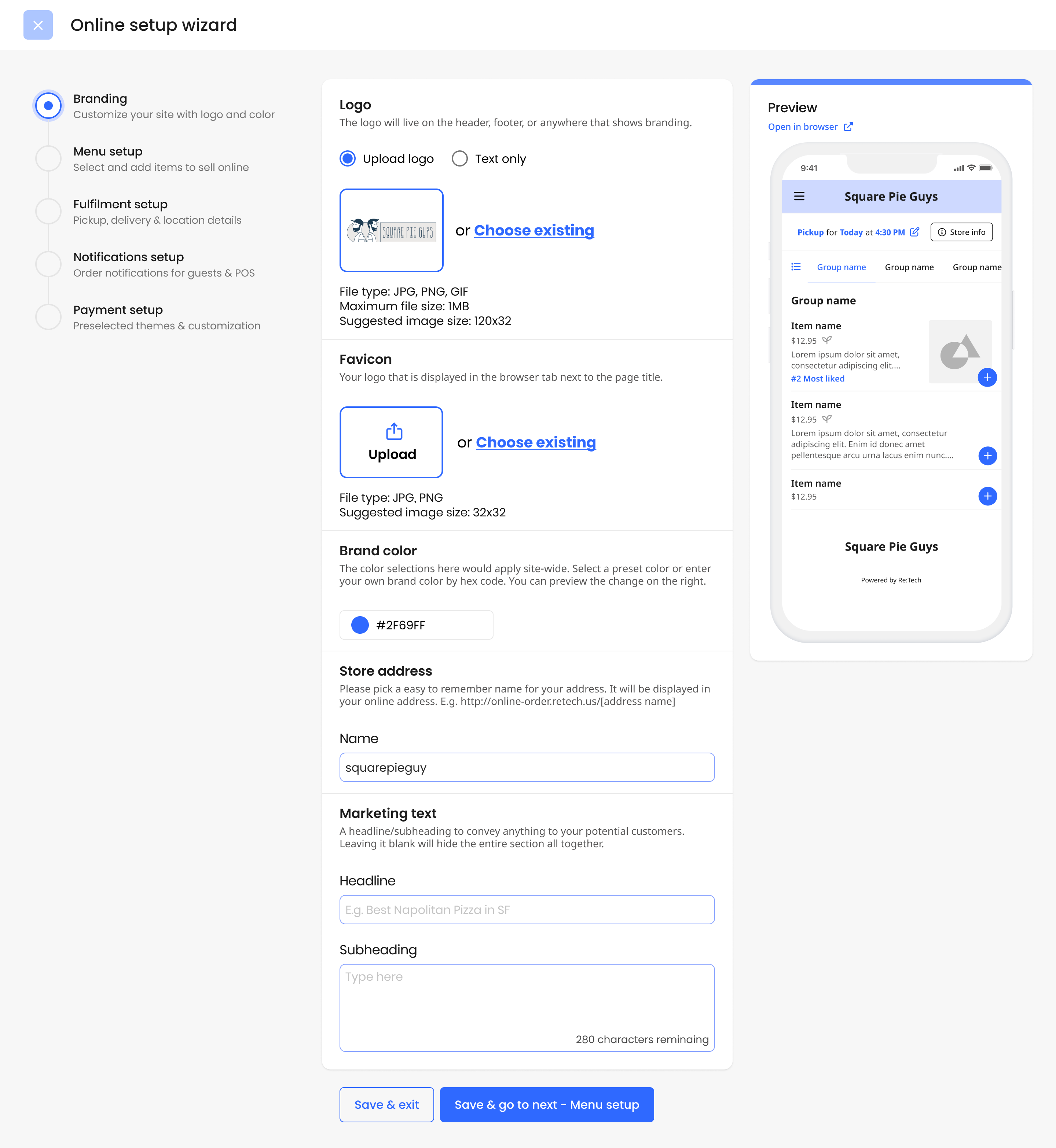
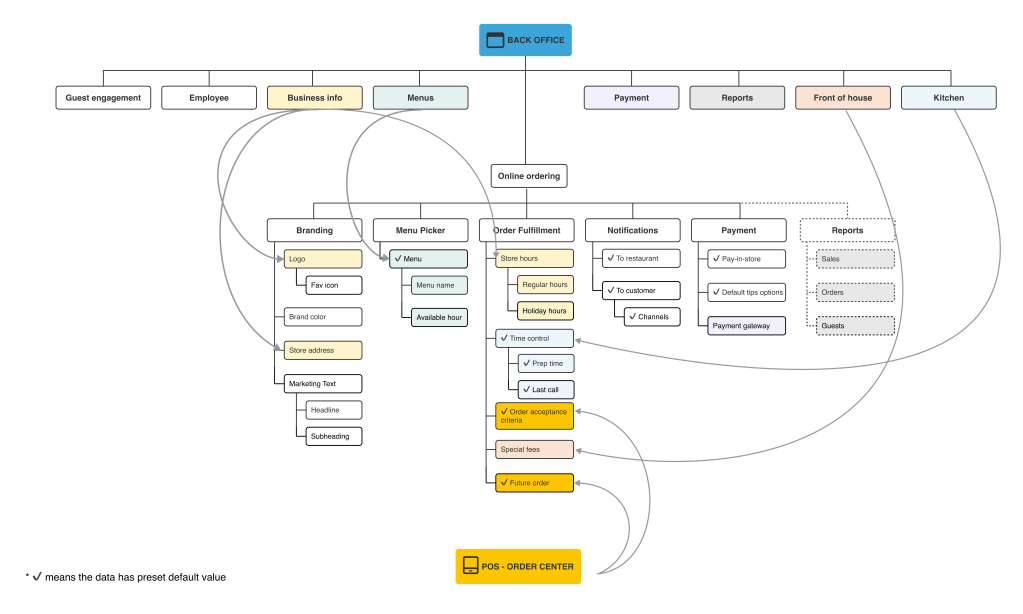
- Branding: Tools and settings for restaurant owners to customize their online ordering website, including branding elements.
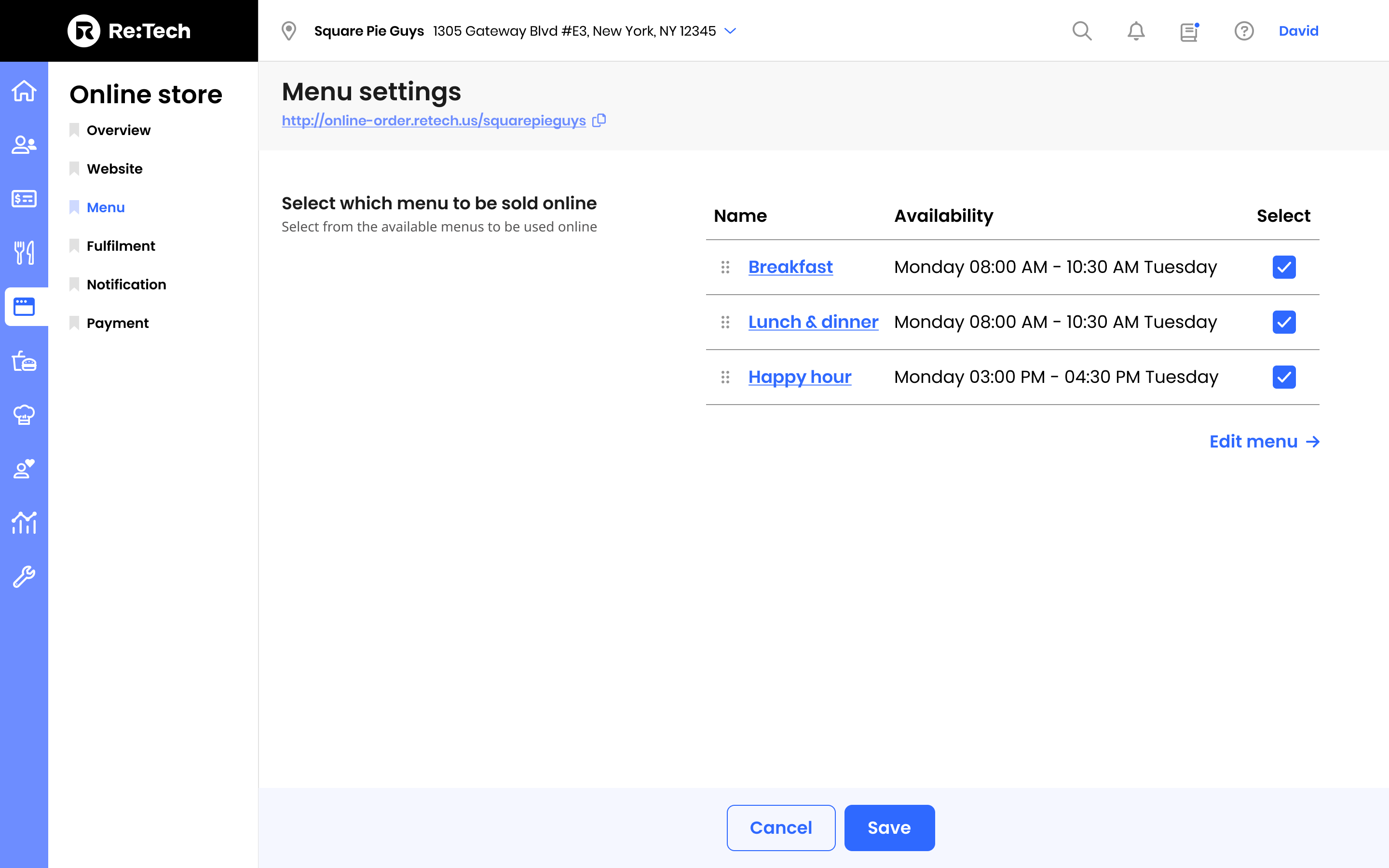
- Menu Picker: Information about the restaurant’s offerings and availability.
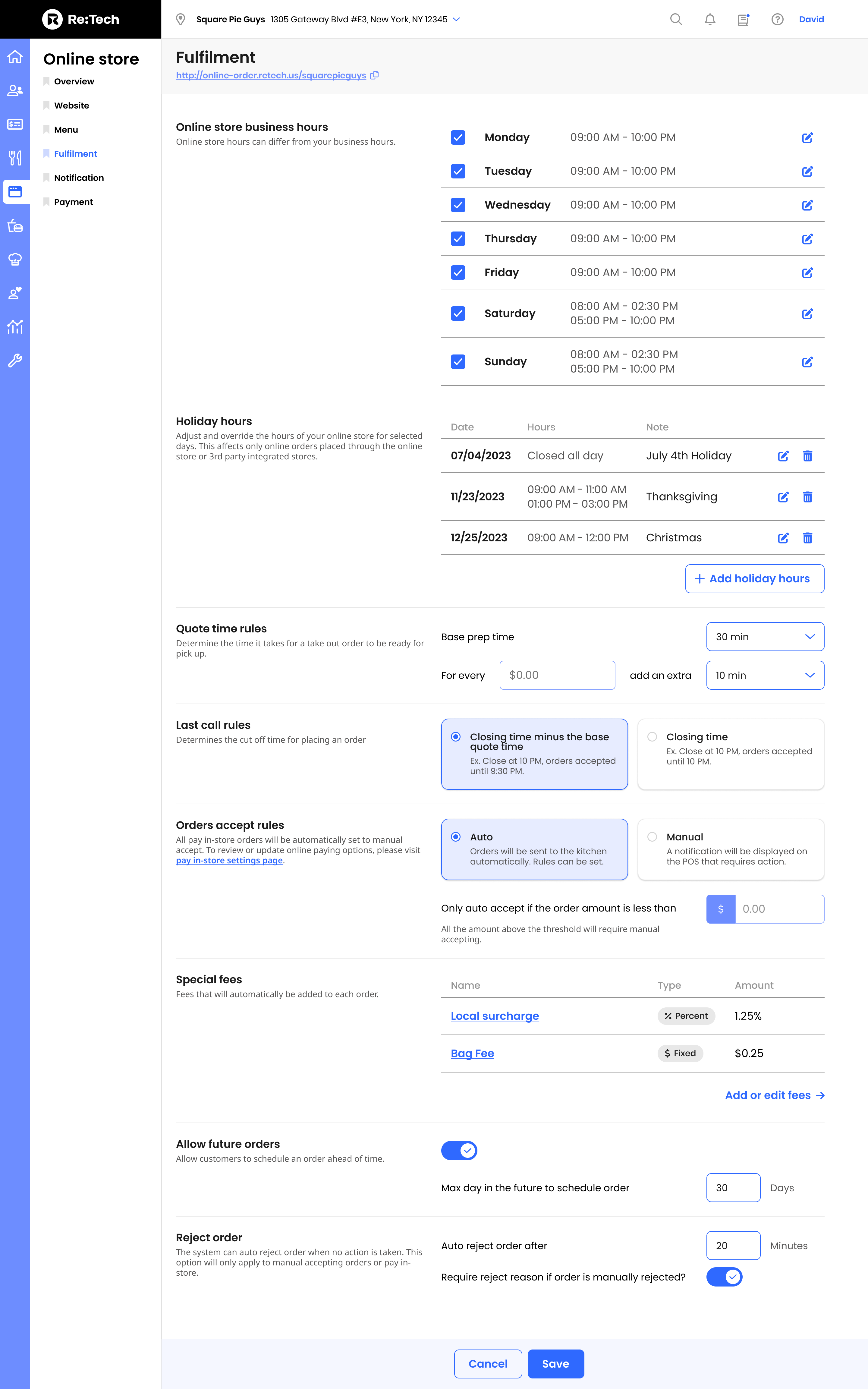
- Order Fulfillment: Tools and interfaces for processing, tracking, and managing customer orders, including order details, status updates, and order history.
- Notification: Channels for real-time communication to the restaurant and customers, including order confirmation, updates, and customer support.
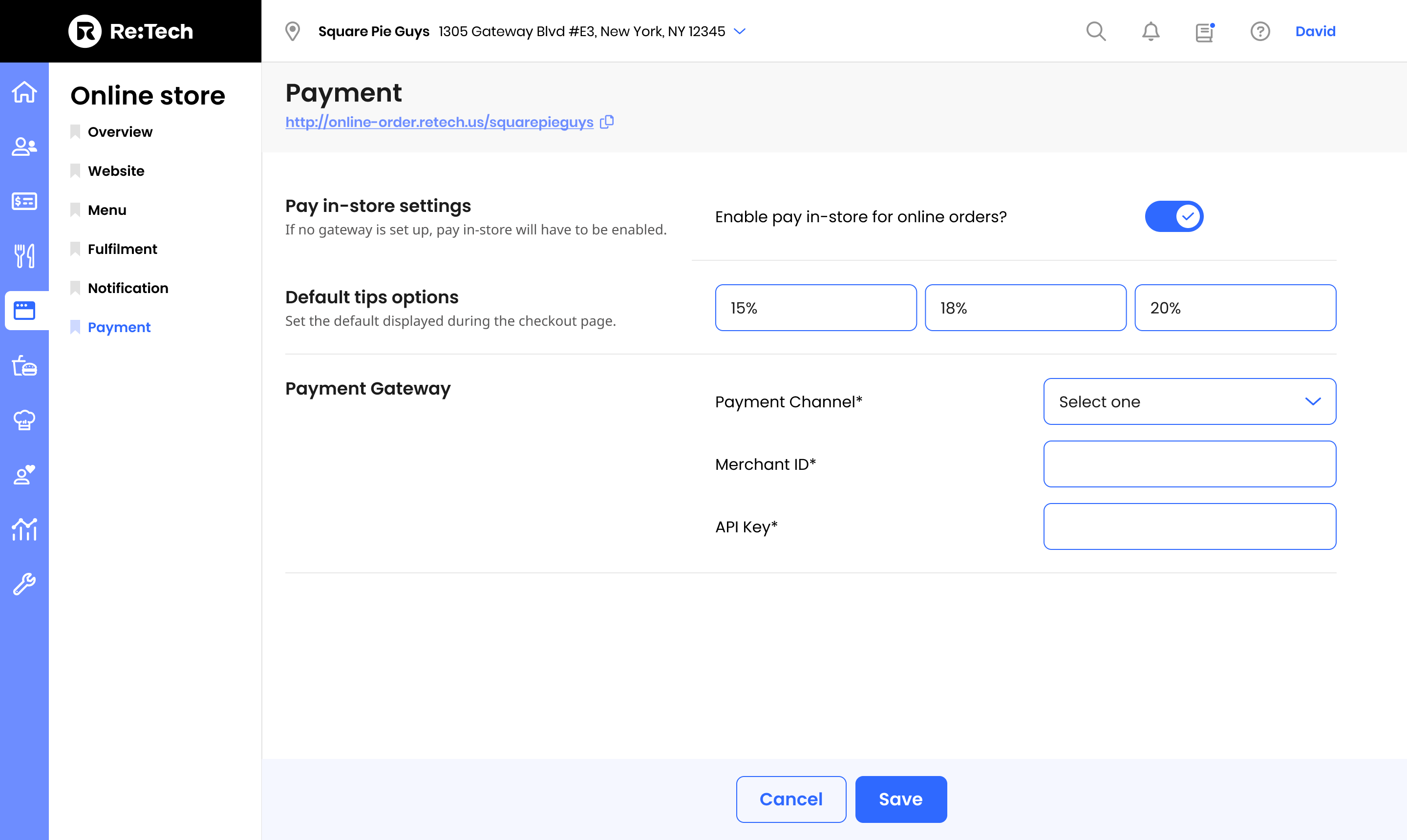
- Payment: All payment related settings to provide flexible payment options.
- Analytics and Reporting: Insights and reports on order volume, popular items, customer preferences, and financial performance to inform decision-making and strategic planning.


Initial User Research
Initially, when the company designed and launched the Order Center on the POS (Point of Sale) system, the primary target users were the restaurant staff. Building upon that, it is assumed that the main target user for the Management Portal would be the restaurant manager or owner.
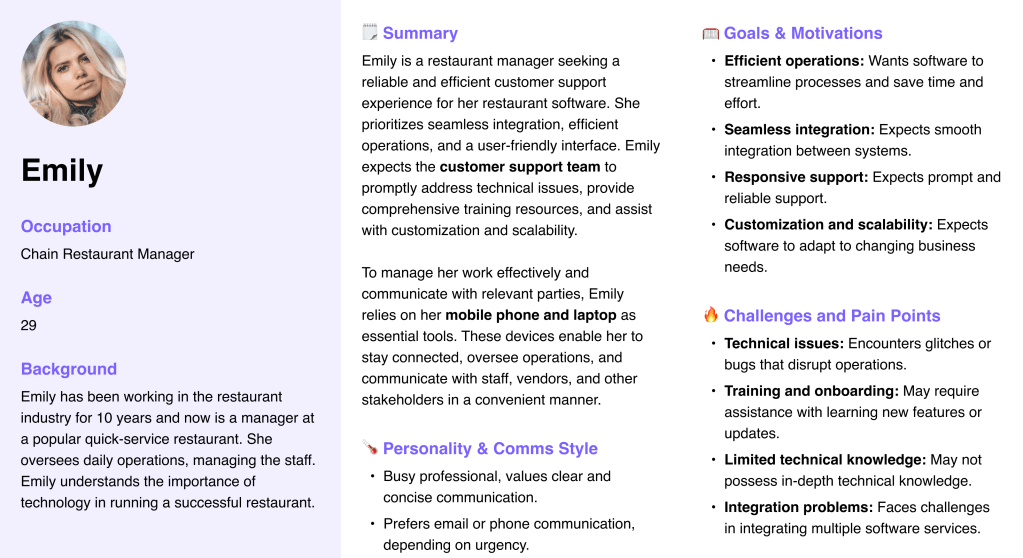
Using the quantitative and qualitative data from interviews and survey results, I defined 2 target group profiles Emily (Restaurant manager, 29) and Sarah (Small restaurant owner, 40) to better empathize with my main user groups and prioritize goals according to their needs.

Challenges
Re:tech’s primary company goal is to cater to mid-size regional quick-service restaurants with 5 to 100 locations. As a new startup, the company initially relies on small mom-and-pop type restaurants to test and refine their product offering.
Challenge 1: The target user is not yet our client.
Emily, the restaurant manager we are designing the project for, represents the ideal target user. It is crucial to thoroughly understand her specific needs and requirements. Additionally, we must also consider the needs of Sarah, who operates in a distinct manner when it comes to back-office processes.
Through our observations, we have noted that Sarah often relies on our customer support representatives for the initial setup of our software. This realization emphasizes the importance of including our customer support team as one of the target users during the design process. As a result, we conducted further research and interviews to develop the persona of David, who represents our customer support team.

Challenge 2: Accelerating sales with a user-friendly interface is in high demand.
Once the Ordering Webpage is launched, our sales team diligently promotes and sells the product. Salespeople often encounter a need to create previews for clients, allowing them to envision the final product. However, it becomes challenging for engineers to manually customize websites for each client request, leading to a sense of urgency in providing an interface for sales and support representatives to set up webpages efficiently.
Here is the plan
In order to align with the product roadmaps, I have made the decision to incorporate flexibility into our design approach. We will focus on creating the comprehensive design that we aim to provide to Emily, and then iteratively scale it down to develop a minimum viable product (MVP) version for David. This approach allows us to ensure that we meet the needs and requirements of both users while delivering a robust and scalable solution that can evolve over time.
Design principles
- Clear and Concise Outline
Deliver a clear and concise outline of the essential steps required for a successful launch. - Outsource Complex Flow
Link duplicated and intricate settings to the back office to simplify user interactions. - Leave Room for Growth
Establish robust frameworks that allow for future feature expansion and scalability.
Success matrix
- Task Success Rate (TSR)
This matrix evaluates the success rate of users in completing the setup within the portal - Conversion Rate
This matrix tracks the percentage of users who complete the setup eventually launch the website to take orders. - Error Rate
This matrix measures the frequency and severity of user errors encountered during interactions with the UI.
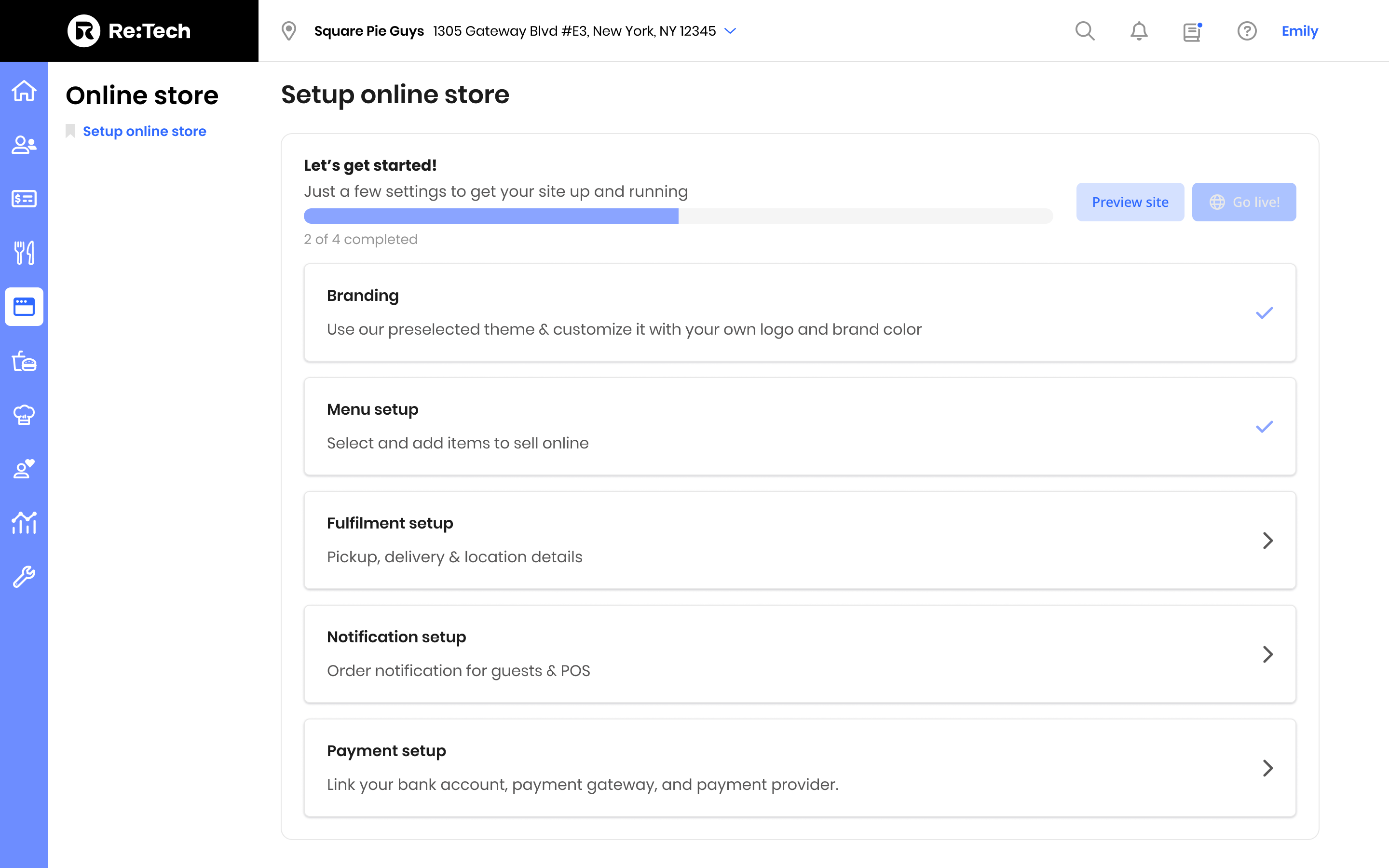
Full version for Emily



MVP for David
Based on the comprehensive view chart I previously created, it is evident that only the branding aspect has specific requirements that cannot be automatically synced or preset with a default value. Therefore, the user will need to manually set u
p the branding before the site can be published.
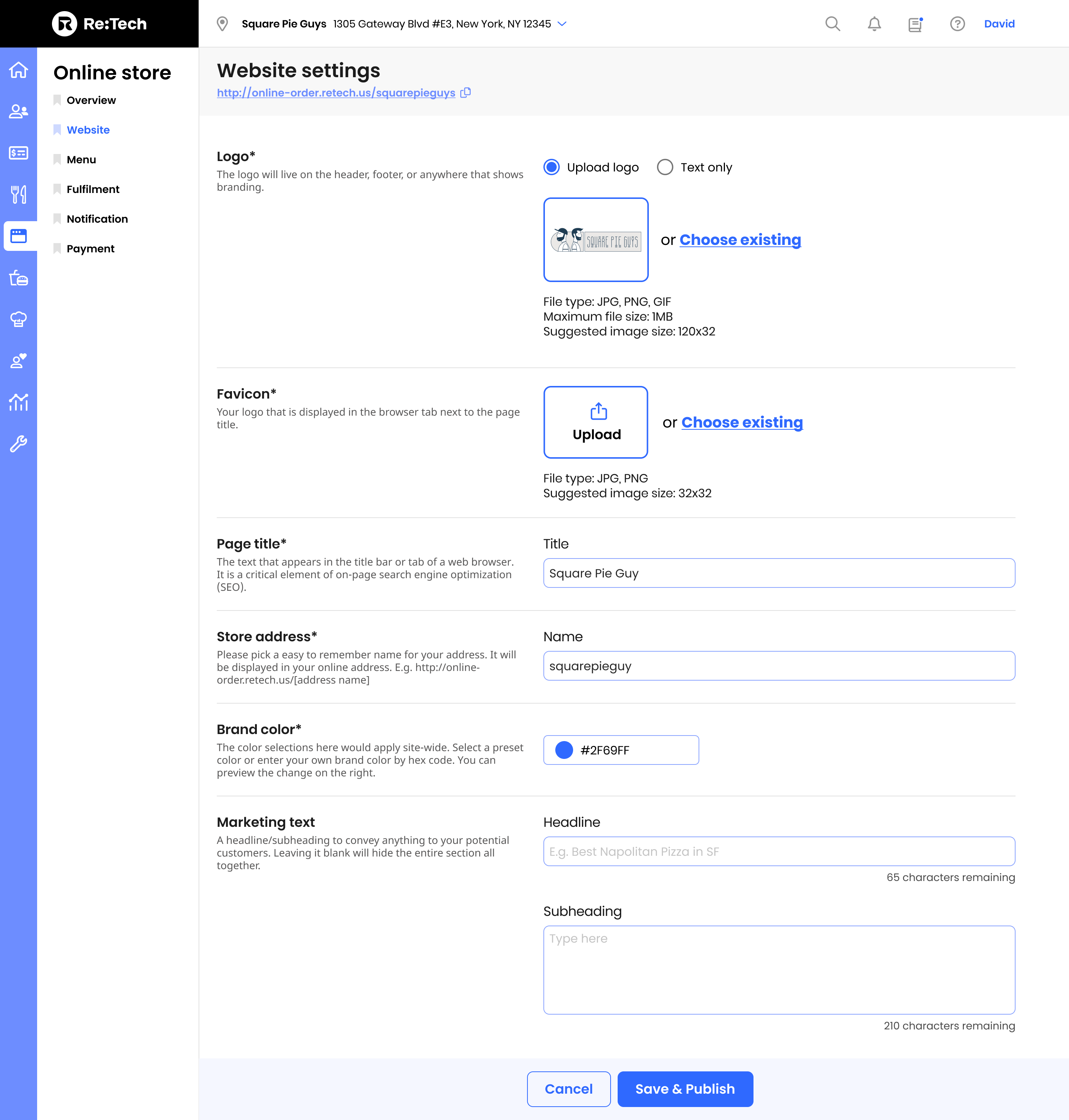
After careful consideration, we have chosen to take the simpler approach and temporarily remove the wizard mode. This decision is based on the fact that the primary user will be the customer support representative, who is already familiar with the product. Additionally, we have renamed the section title from “branding” to “website” to better reflect its purpose. Furthermore, we have placed the publish button within this section for easier access and functionality.
Results
The full version of the design included configurations for branding, menu picker, order fulfillment, notification, payment, and analytics. The MVP version focused on the branding aspect, which required manual setup before site publishing. The wizard mode was temporarily removed to simplify the interface.
The MVP was launched in February 2023, with the branding page being prioritized.
The original goal of empowering users to efficiently manage their online ordering operations was successfully achieved with fewer resources.
Key Takeaways
- Incorporating customer support: Considering the needs of the customer support team, represented by the persona David, during the design process is important for a successful SaaS implementation.
- Iterative design: Incorporating flexibility and scaling down features allows for the creation of an MVP and iterative improvements based on user feedback.
 Shilya Lee