
Redesign Yahoo Mail – Setting & Compose Experience
| Date 2016 | Company & Product Yahoo Mail |
| Role Designer & prototyper Main designer on the projects, provided explorations, prototypes and final design, collaborated with user researchers to conduct the user testing. | Mission Upgrade the user experience for a legacy product |
Redesign Settings Experience
Background
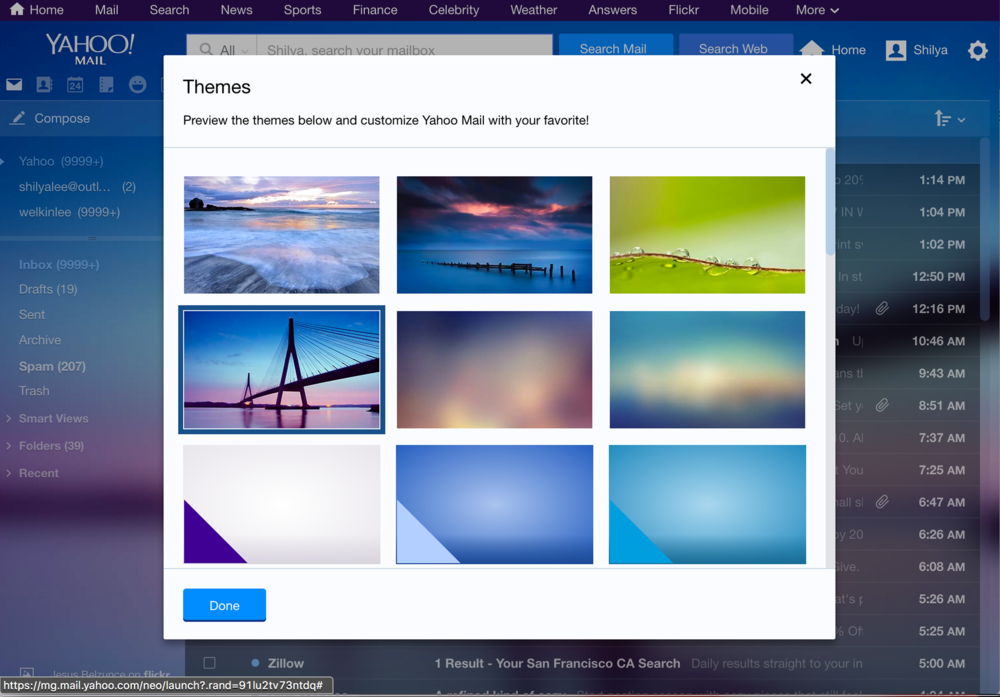
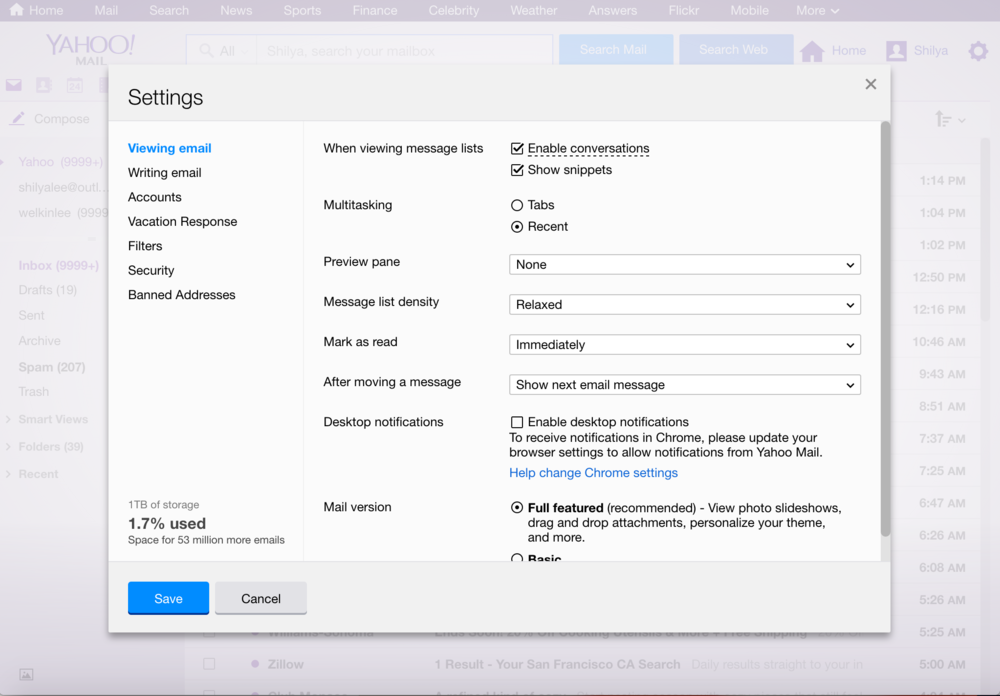
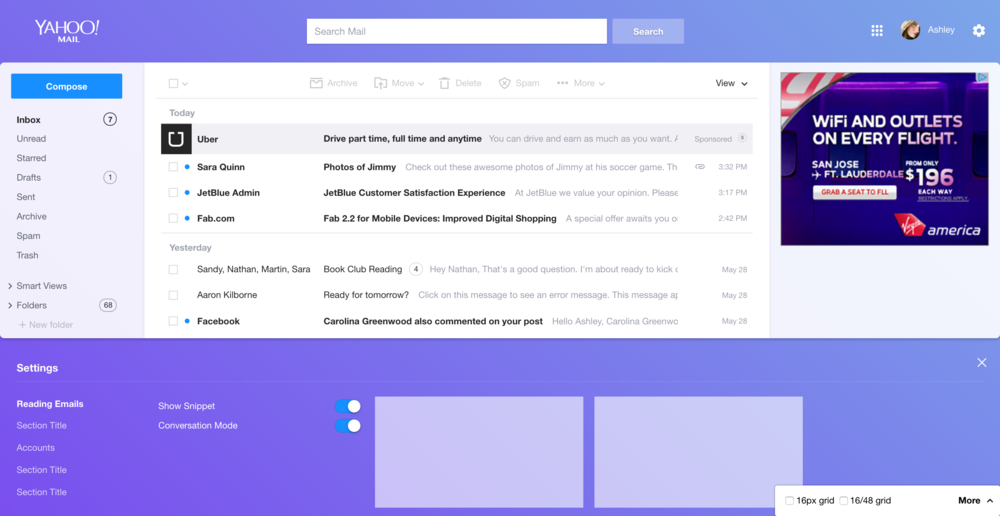
The old Yahoo Mail was launched in 2013. At that time, the company was into the trend of using an image as the background, which was started by Yahoo Weather. However, when we apply this visual treatment to an application in which users focus on tasks they need to complete, not just glance or scan through, our visual treatment becomes a a fundamental issue. As the result, the original Yahoo Mail UI relies heavily on the use of a full view popover to help users focus on complicated tasks like changing settings. Although the popover is to help users focus, it also becomes a limitation to the experience. For example, to preview the change they just made, the user needs to close the popover and go back to mail to see the change. If they want to change it back, they need to click the setting icon and open the popover up again. Also, the current is text dense and not very friendly to users.
Below are screenshots of old design
Content Audit
Before beginning any mockups, I did research on the setting of current Yahoo Mail. I found that some options were added as temporary solutions in settings and never got updated. I listed them out and discussed them with the project manager to determine if we could remove them. For example, Yahoo Mail used to work with Dropbox to let users upload or download files between mail and storage, and as the membership team is re-doing the account connection, we should remove this and declutter the settings. And in terms of interaction, I gradually see two models of settings: one is simple change, usually with one checkbox or selection, like change preview mode; the other is in regard to filling out more details to enable the function, e.g., to set filters, users need to fill out at least email, keyword, and save it to enable the filtering.
Layout Explorations
When we design the new Yahoo Mail, one of the direction we set is to avoid using full view popover. On small screens (Phone, mobile) we aim to let users focus on one task on one screen, but on desktop we should enable the ability to multitask. To find out the best solution to replace the popover, I started from exploring the possibilities. Here are a few early explorations with the prototype:
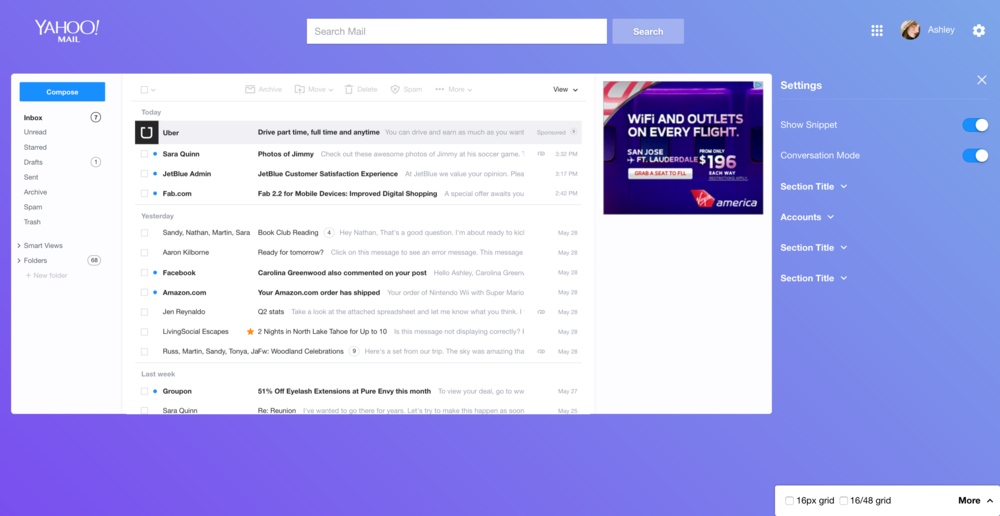
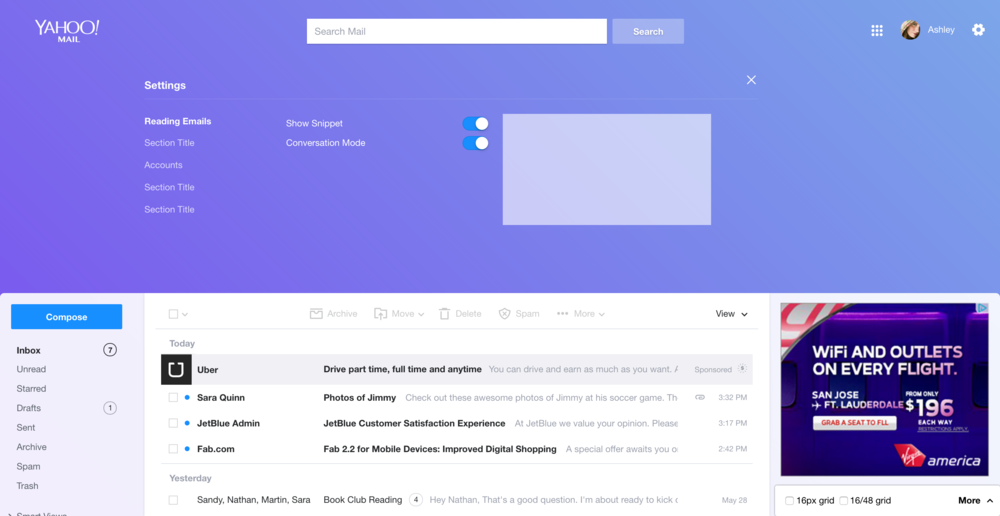

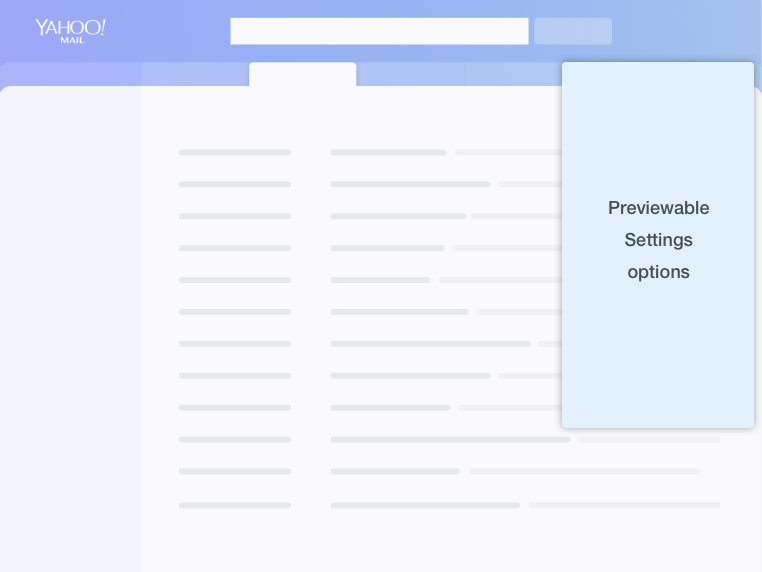
The first two would require the message list to resize dynamically when settings show up. Considering that the minimum screen size we support is 1024px, it would become a layout problem. And if we show up top of bottom, the content might get limited when users are using very small screens. Also, on big screen sizes, the visual would be hard to get balanced.
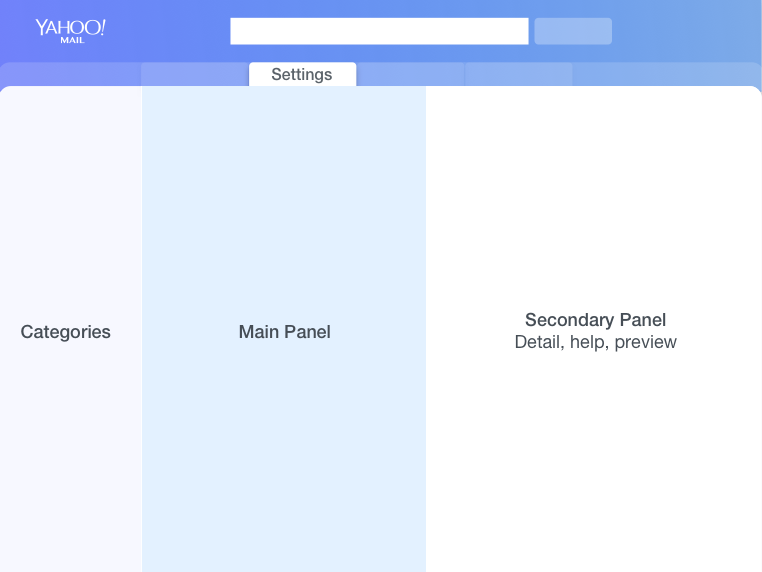
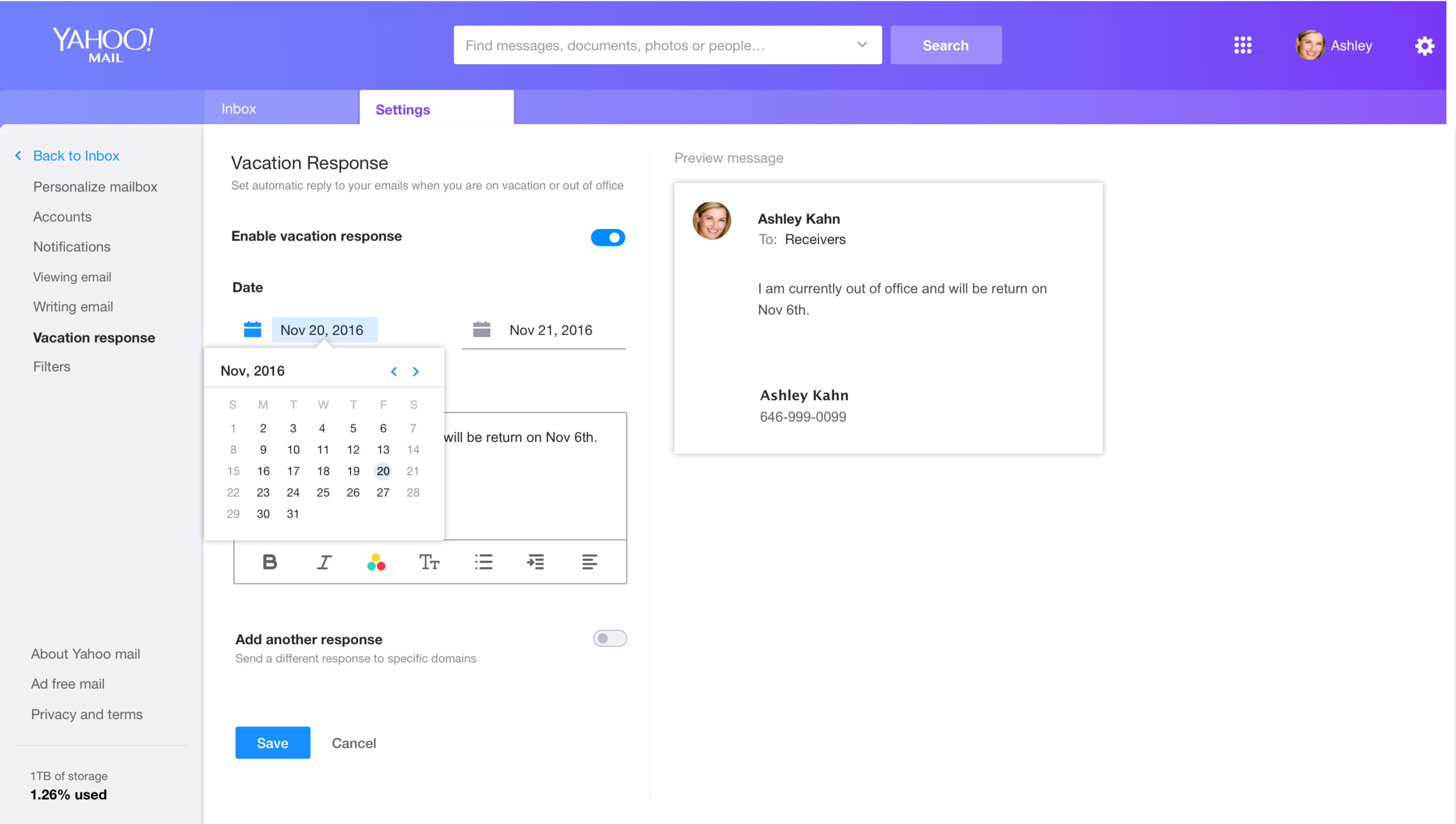
At the same time, from the data we got, we found that users spend most of their time on settings in order to change the “look” of their mail, including theme, preview mode, tab, etc ( visible changes). From this data, I decided to bring the visibility of those “look” related settings up. And also, considering that other setting options would need more spaces to make changes, like set filters and accounts, those settings should live in a place where users can fully focus on them:, the main settings should live in the main content area, instead of side by side with email content.
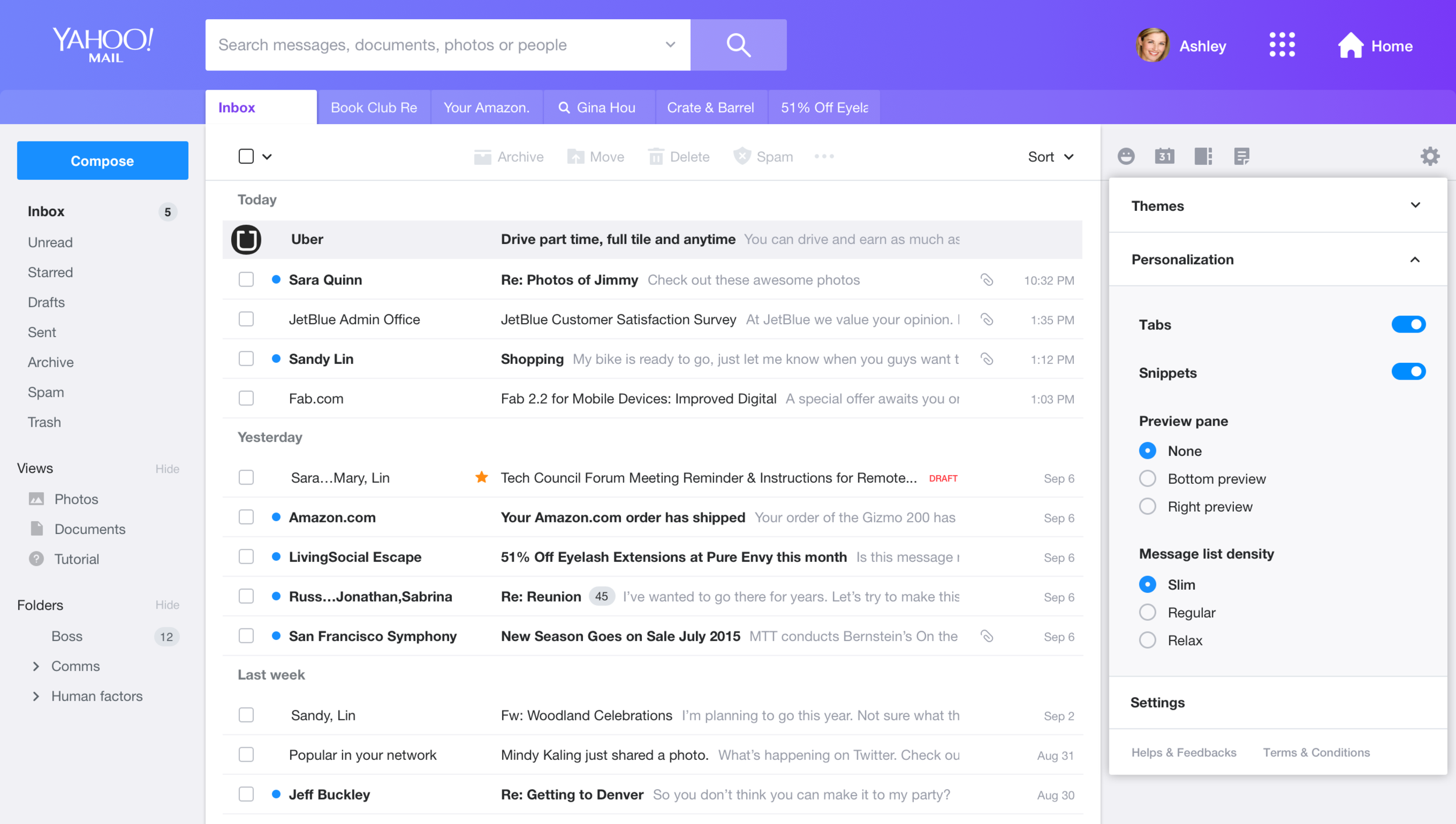
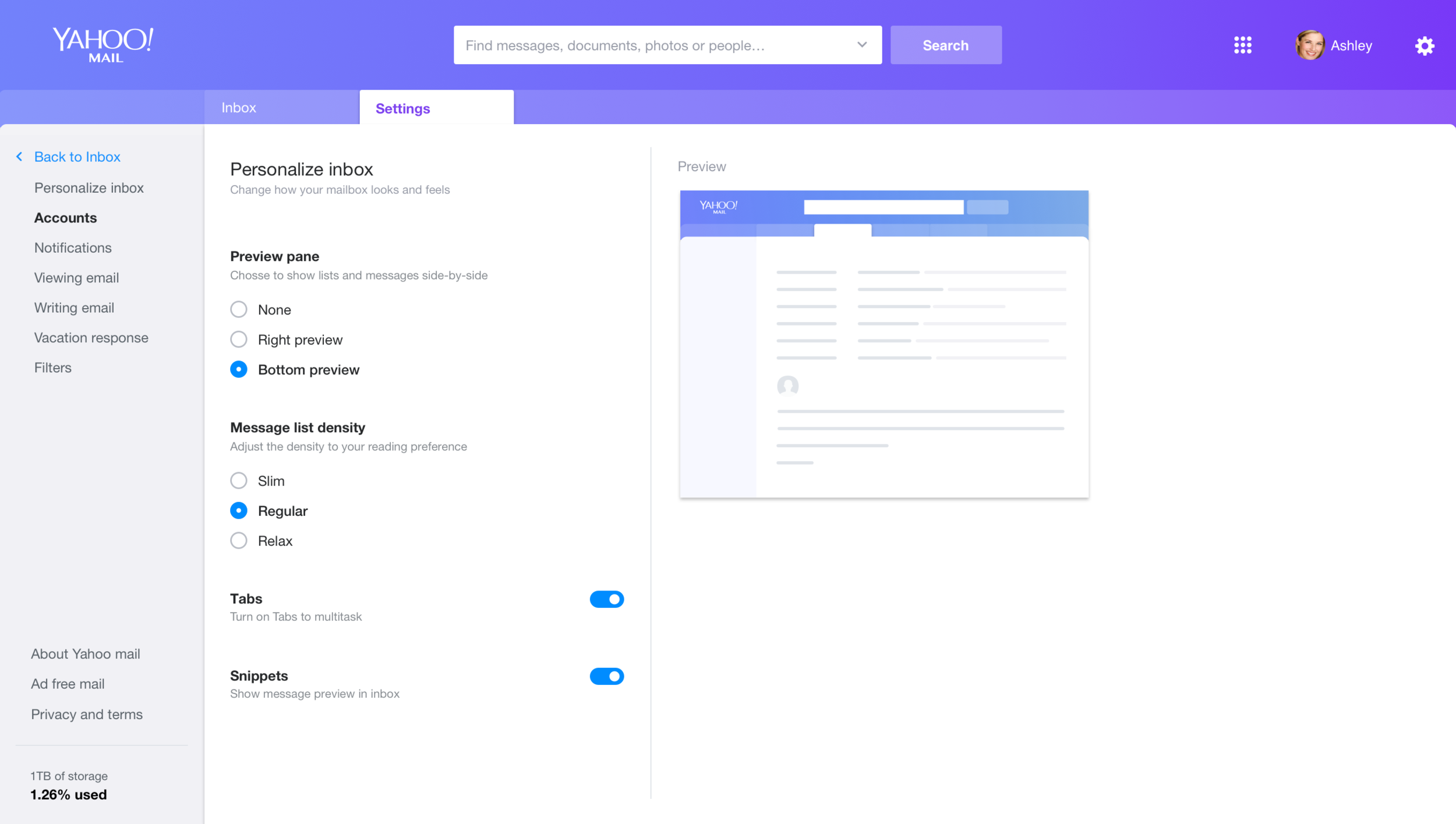
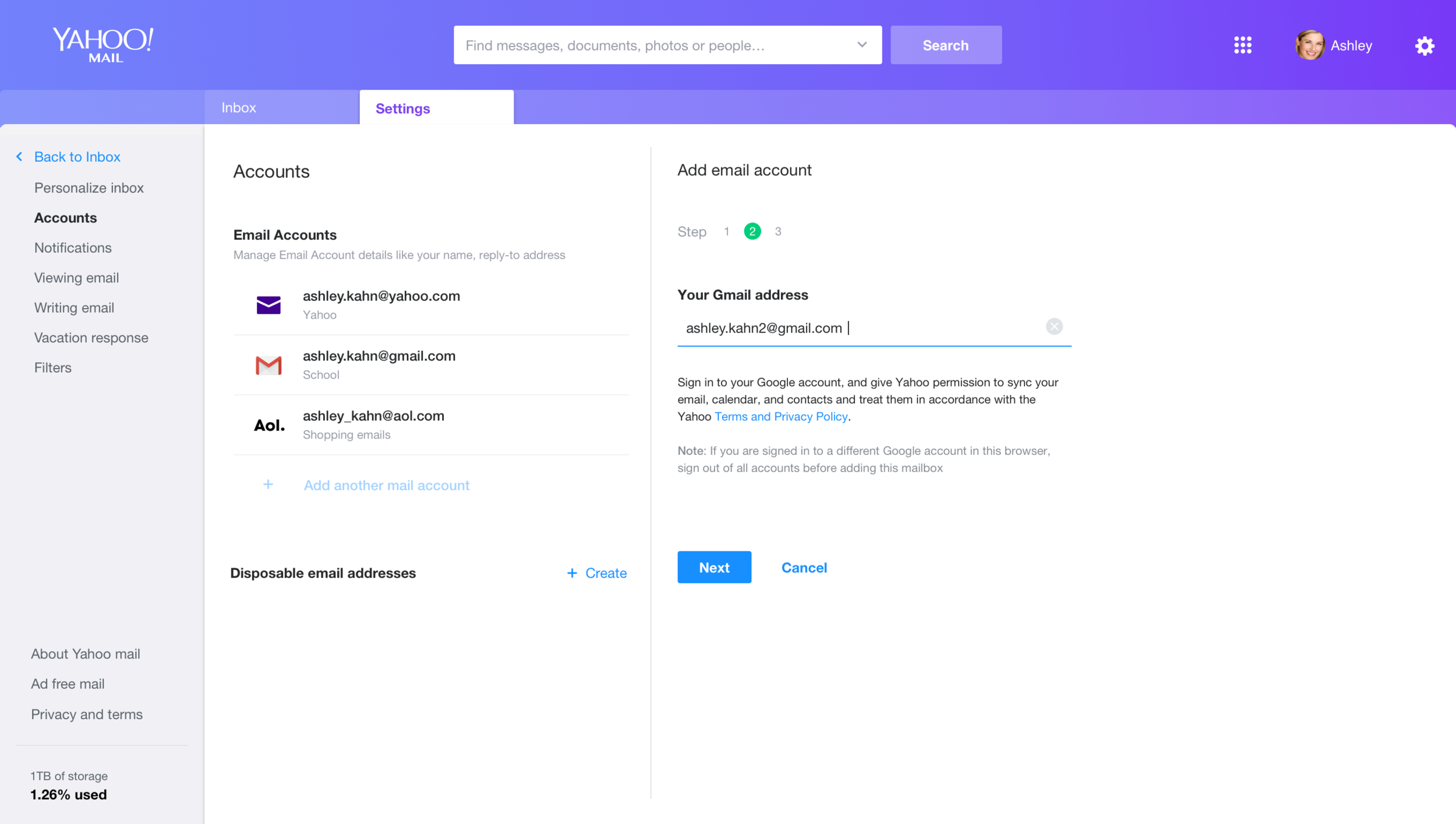
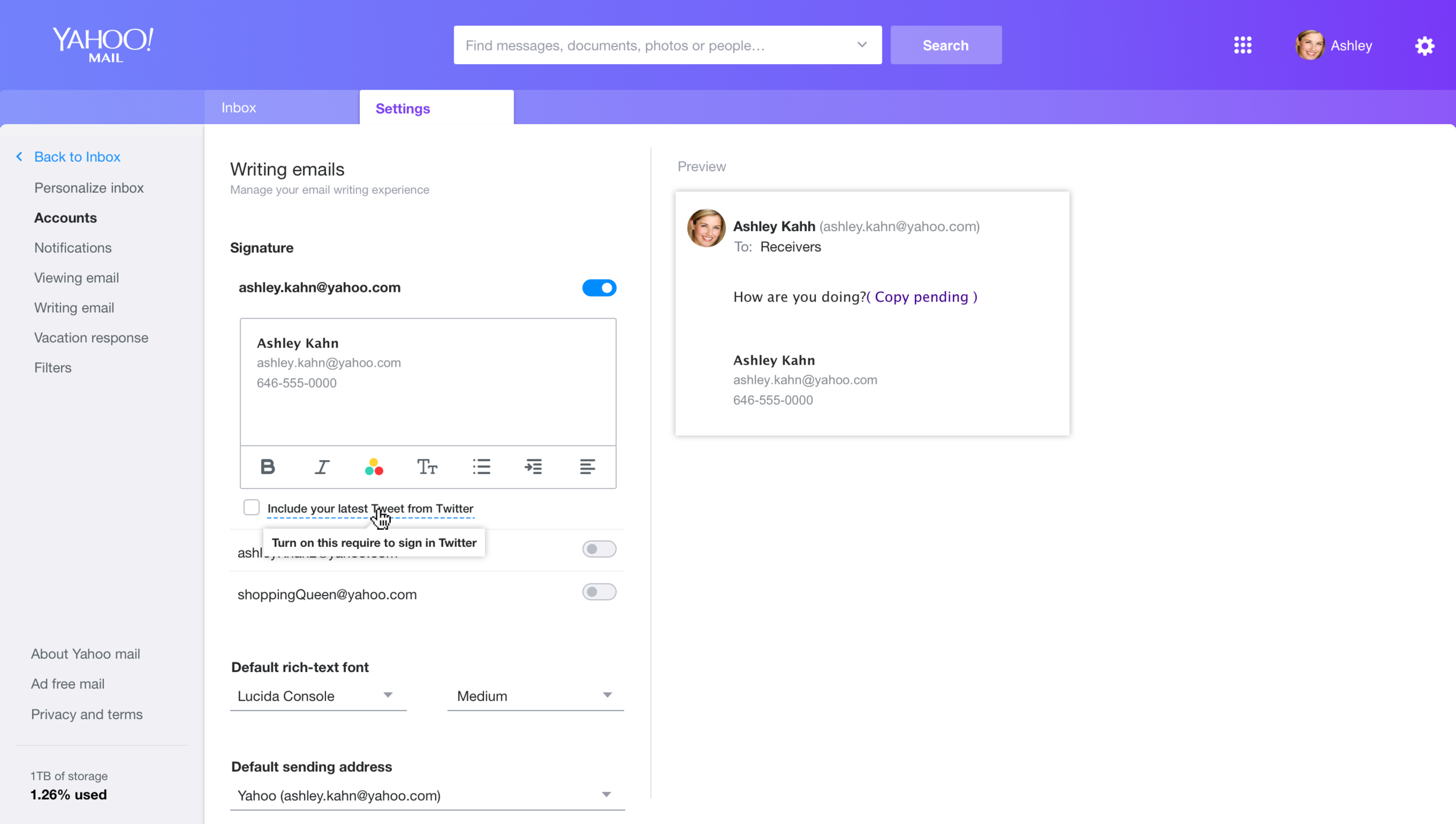
Here is the new proposed layout:
Hi-fidelity Mockups
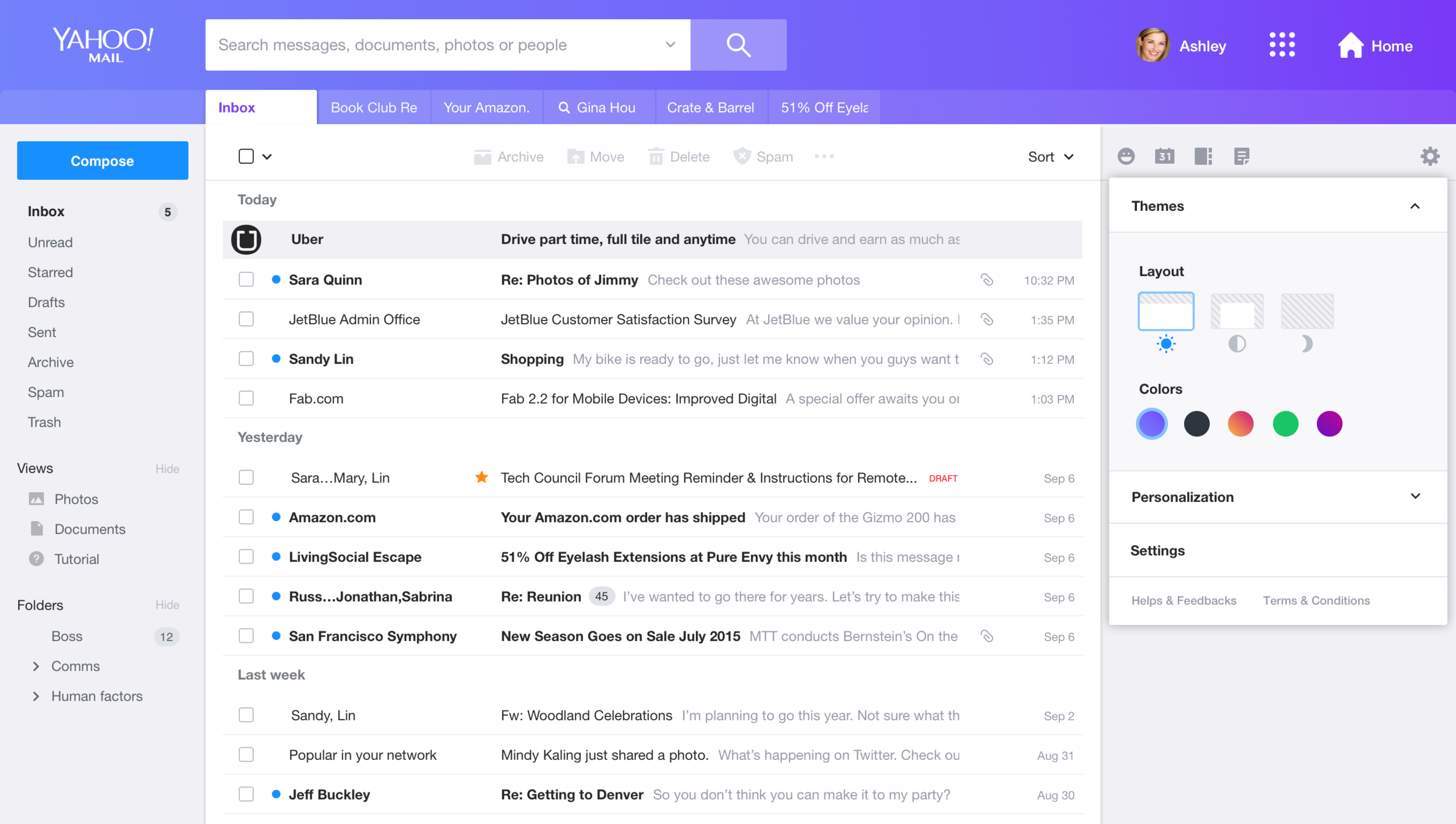
After the layout was decided, the next step is to focus on filled in content and visual design.
Here are the mockups of filled into the layout:
Redesign Compose Experience
Background
There are many interactive elements inside email compose, especially on legendary email applications like Yahoo Mail. Throughout the years, Yahoo Mail has added many features to make writing mail more and more powerful and fun: you can add gifs to make them fun; and you can resize images to make your content more appealing. As our team works on redesigning Yahoo Mail, we examine our products again and discover many things we can improve on in terms of both interaction and function.
Understand use cases for attachments
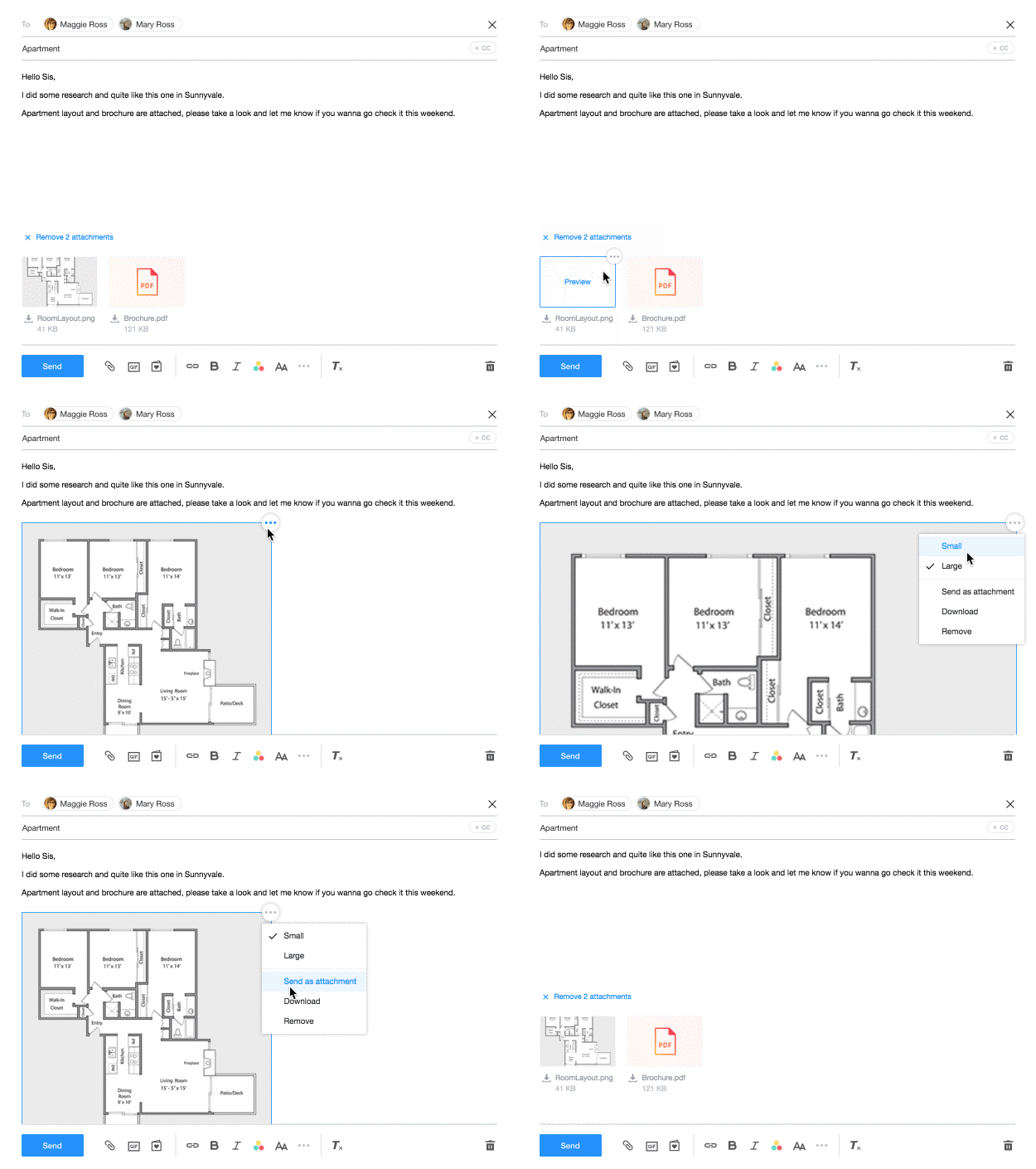
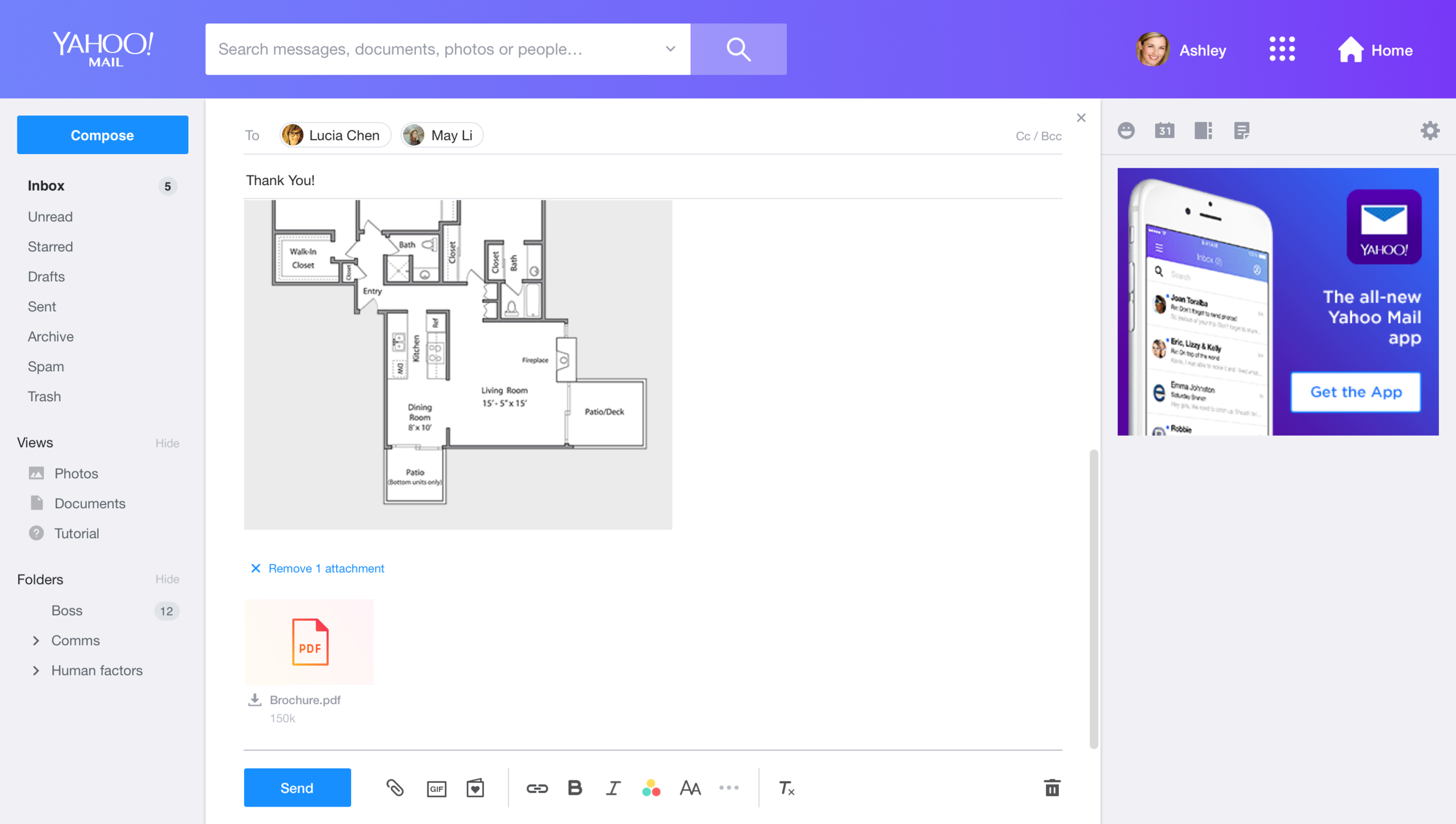
There are two user cases we will see attachments in: “compose” and “message read.”We think the UI should be reused and the interaction pattern should be similar, and based on the attachment type, file or image, the functions required are different (see the chart on the right side).
When we decide on the functions we need to provide, there are two major debates on the team:
1. Do we need to provide a preview for the attachment in compose?
Users upload the attachment from their computer to compose. Ideally, they should know what’s inside the file.
However, we found that users take email as their “storage.” Often, they just upload files they want to keep to “draft.” Also, users might upload files from one device and later go to other devices and continue writing. In particular, the behavior switch between phone and computer is very common now. Thus, we decided to have the preview for attachment in compose as well.
2. Do we need to provide a function for moving an image between the inline body and the attachment tray?
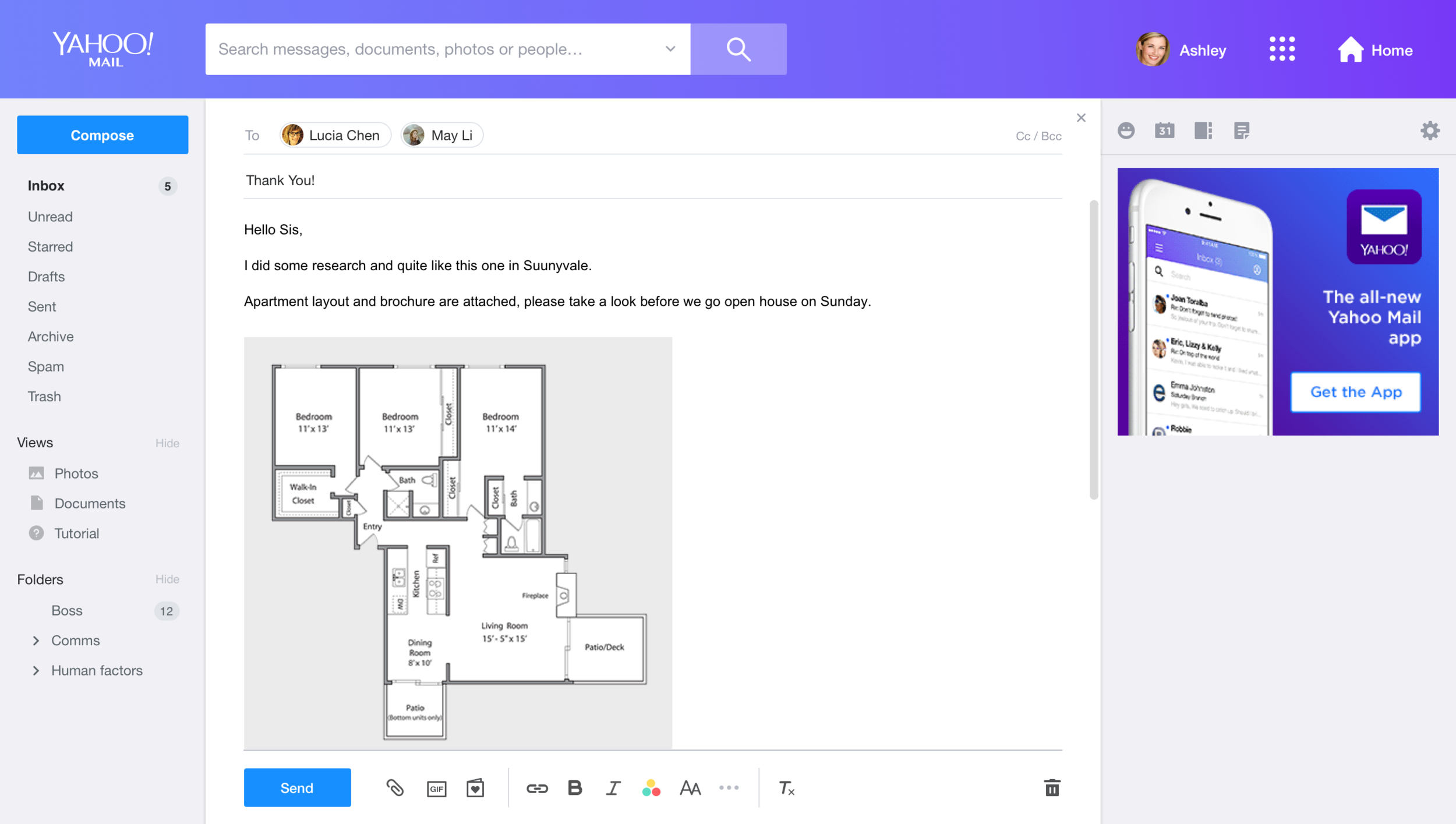
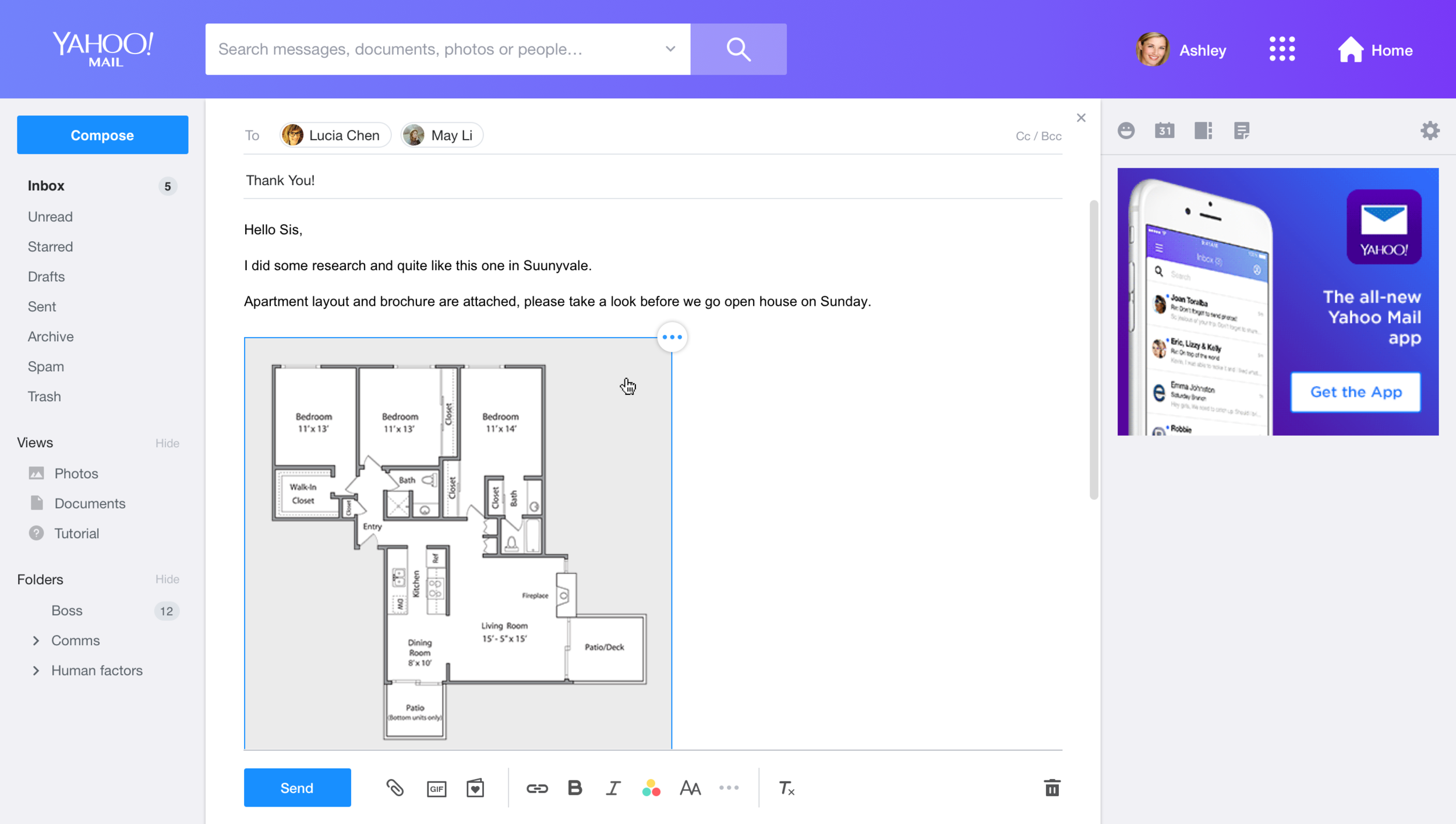
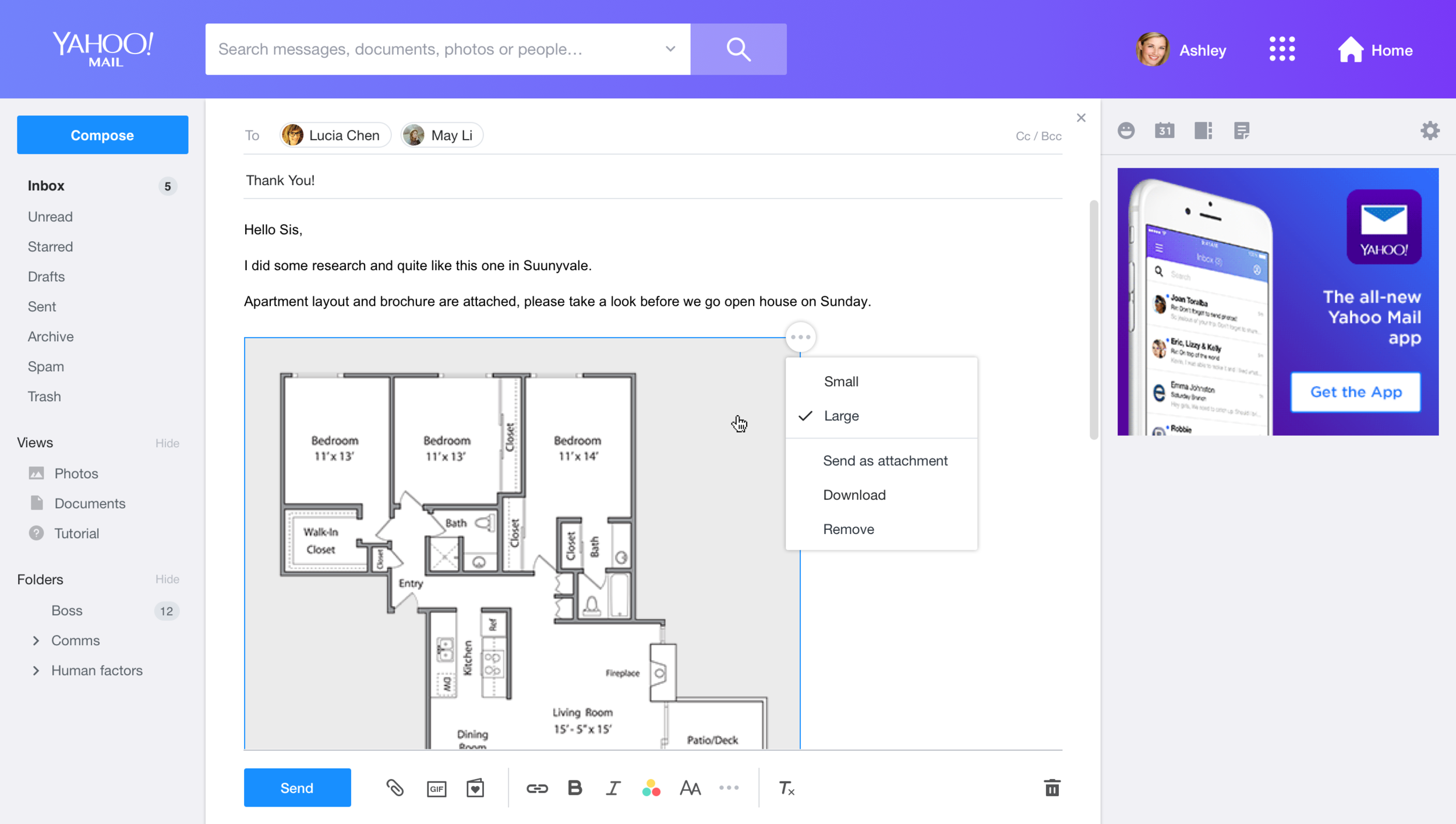
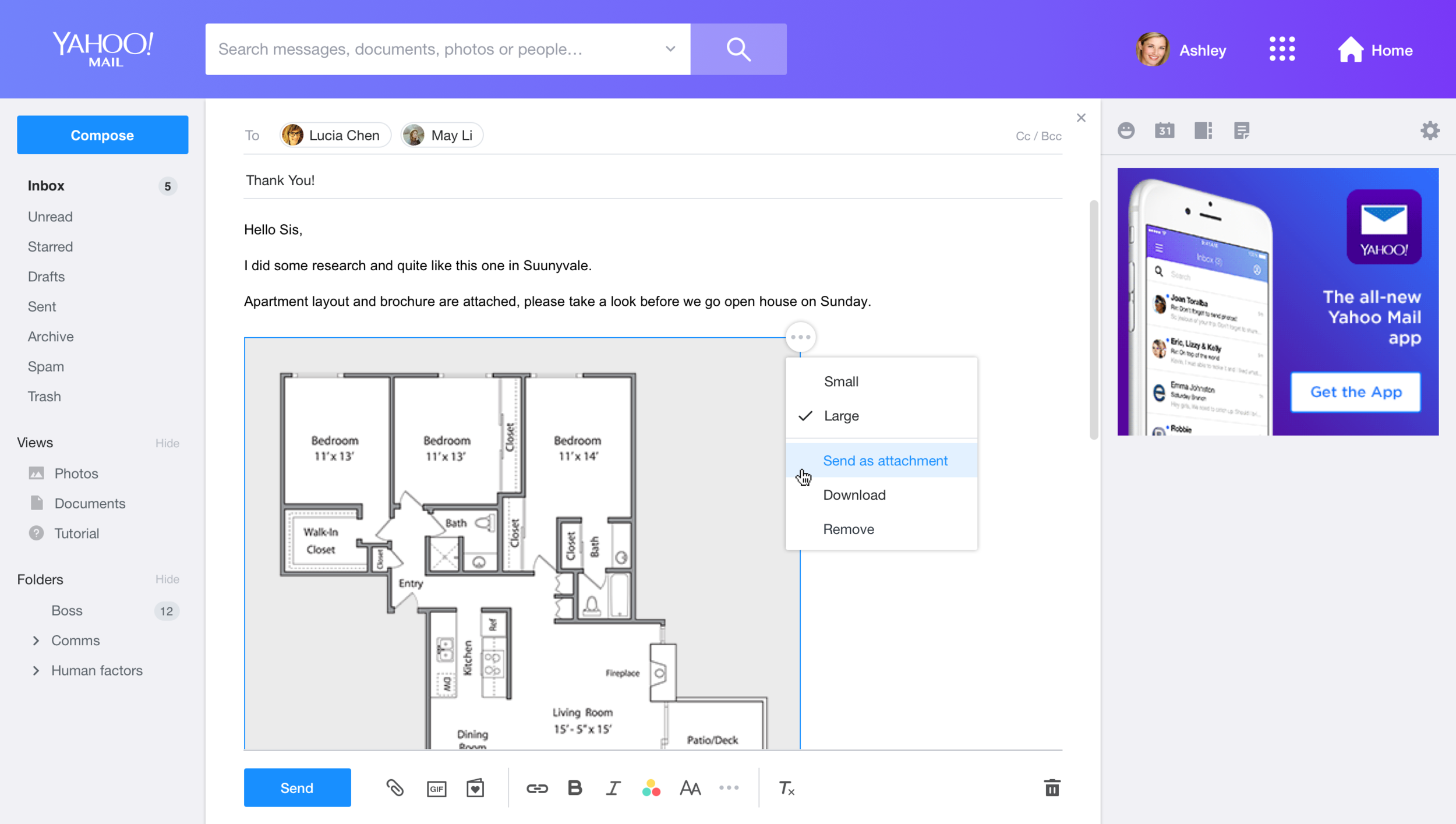
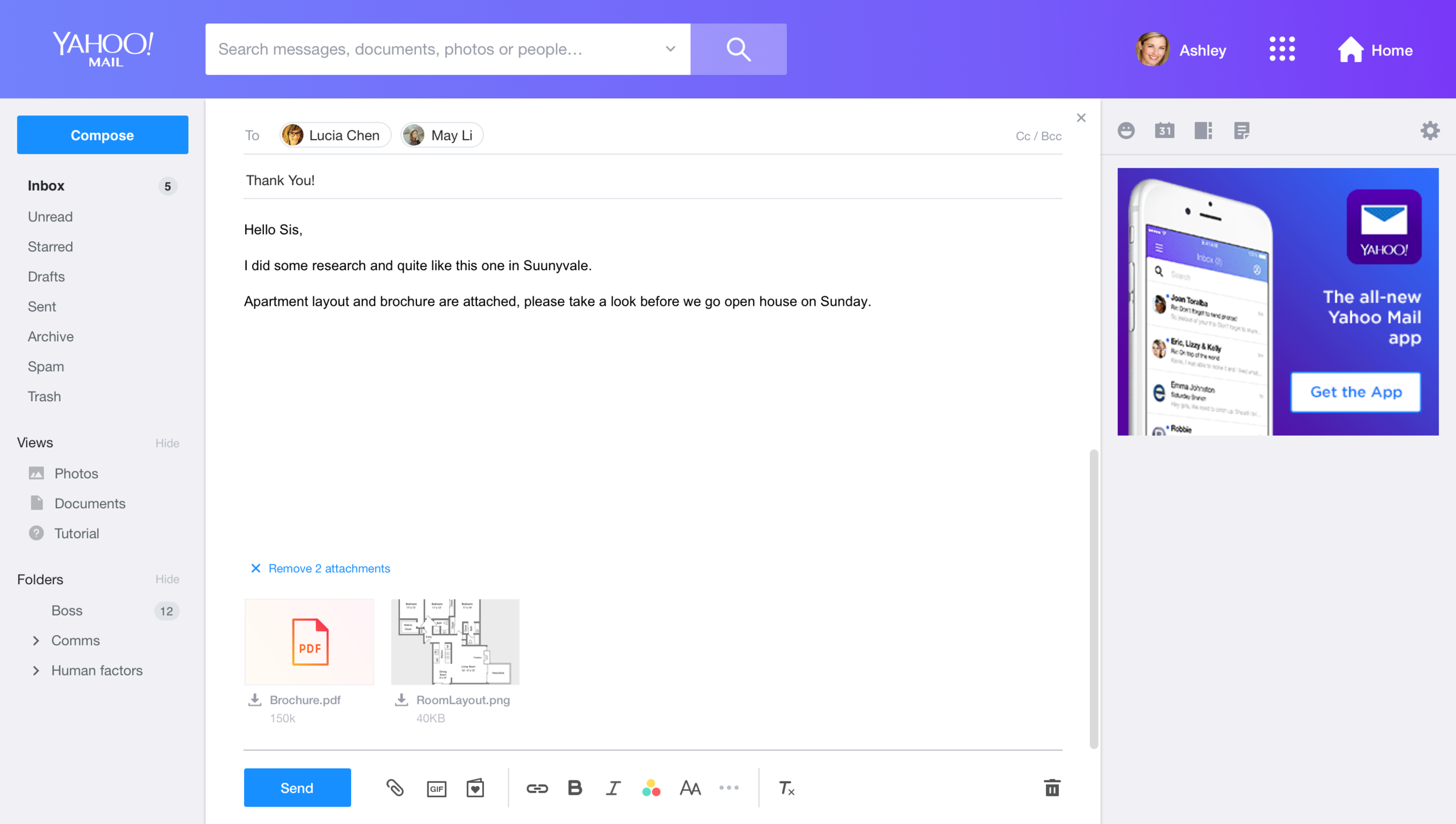
In current Yahoo Mail, if you drag an image to compose it would be automatically added into the compose body. However, when users want to send out multiple images through mail, the flexibility of moving between body and attachment tray actually helps them organize the message better.
Prototype & User Testing
We went through a few rounds of mockups to ensure that the style in both message read and compose can be synced.
Because an attachment thumbnail has many tiny interactions, I built the prototype with JavaScript and Html quickly and invited users to test it to ensure the interaction is smooth and that users can understand the UI, Through user study, we received a lot of good feedback and ideas, e.g., we found users instinctively try to drag images from attachments to the message body, and decided to add this feature into the product.


 Shilya Lee